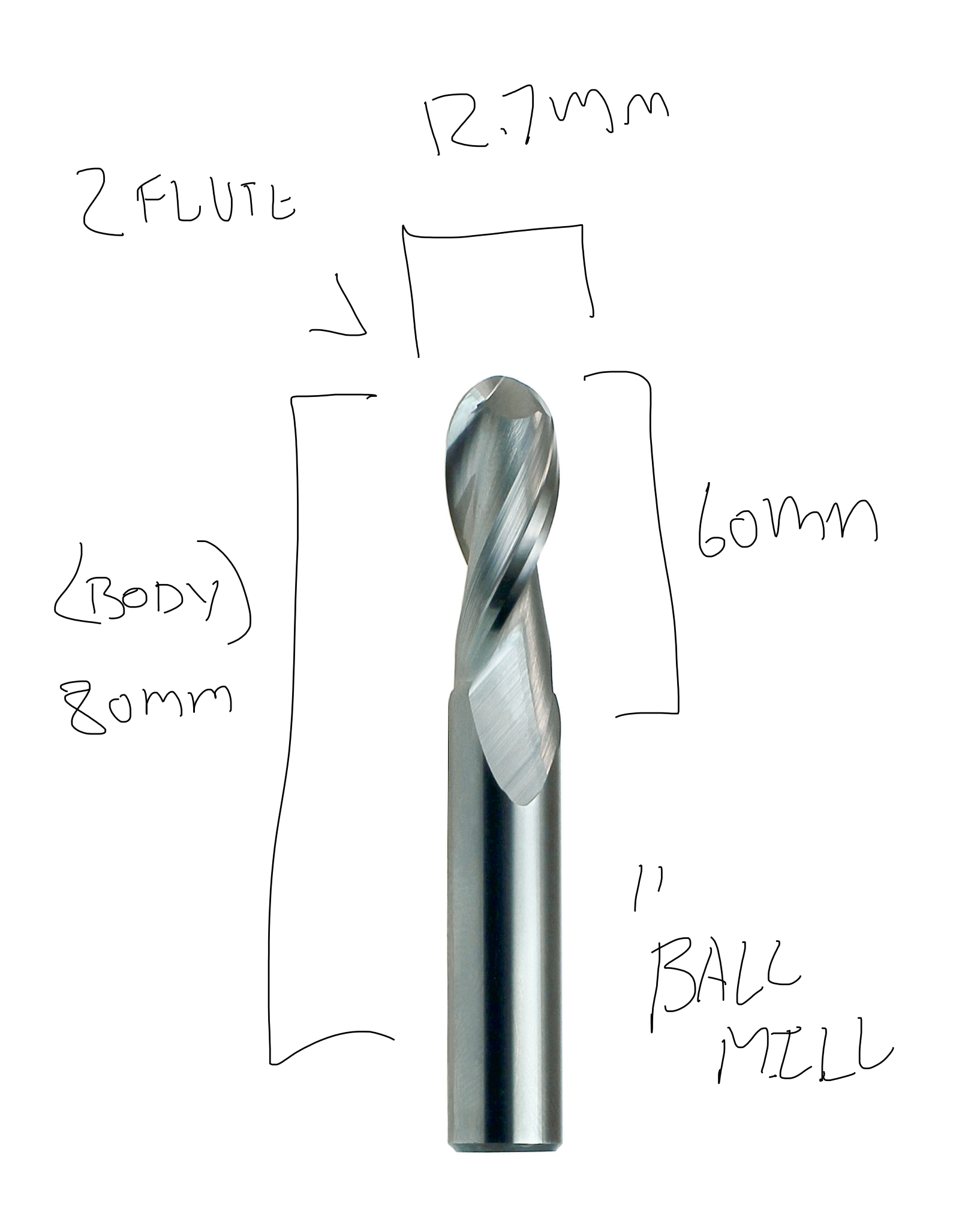
Build a small library of your own in fusion 360 and populate 3 tools using the details from the images below. Look through all of the tabs in the library and Fill in all of the data. As you enter in the data think about how the different features are used to inform your tool path settings.
If you have never done this before, poke around the Fusion Docs, and check out this video or this totally seperate tutorial for a guide to getting started with tool libraries in fusion.If your doing this as a class exercise please export and submit a .JSON file of your tool library (named firstname_lastname_zid_tools.Jjson) as your submission

To complete these challenge create a tool library of the tools pictured below, as well as ensuring all of the following data is inputted for each tool.
Numbers to each tool in the Post processor tab so they will address the corresponding tool in our Multicam ATC :
Make sure you include all of these setting for the three tools (Tip: you could start with one basic tool and then duplicate it) :