
Want to learn how to Laser Cut in the Engineering Makerspaces? Check out our Laser Cutting with Ruby guide instead!
For this learn module, you will need:
Quick Links
 Access to ENG
Access to DFL
Access to ENG
Access to DFL
Don't have the right badge to access the makerspaces? View upcoming badge training and get inducted!
 Flatten Surfaces in Rhino
Rhino Commands Guide
Flatten Surfaces in Rhino
Rhino Commands Guide
Jump to Template Files here.
Key considerations:
Is your file curves only? (not surfaces or meshes)
Have you removed duplicate lines?
Have you joined all curves where possible?
 ENG Shop
DFL Shop
ENG Shop
DFL Shop
Make sure you are aware of which material can and can't be laser cut! You can view materials that are safe to cut or banned from cutting here.
 ENG Opening Hours
DFL Opening Hours
ENG Opening Hours
DFL Opening Hours
Please note: Bookings are required for use of the Laser Cutters in the DFL.
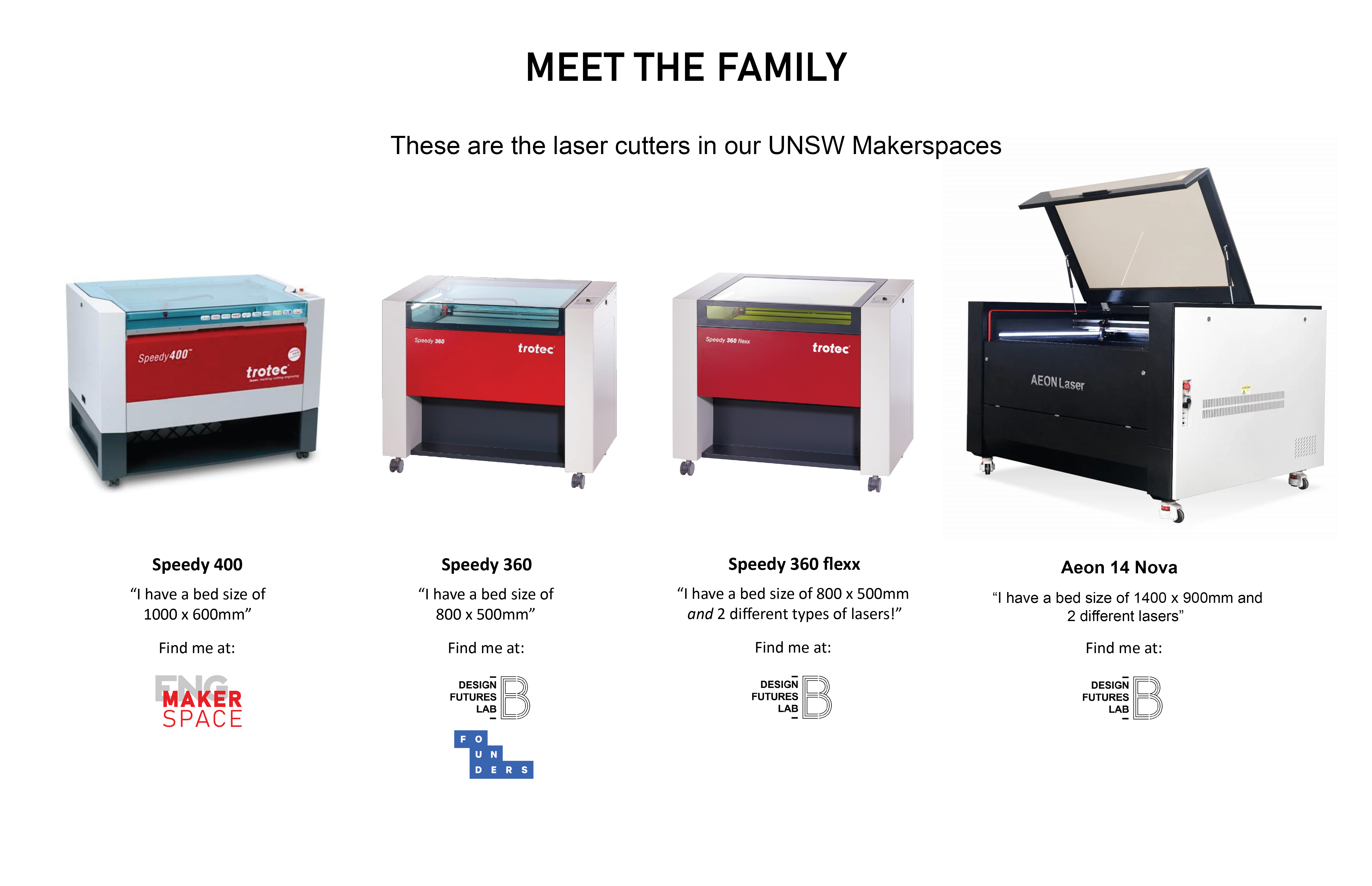

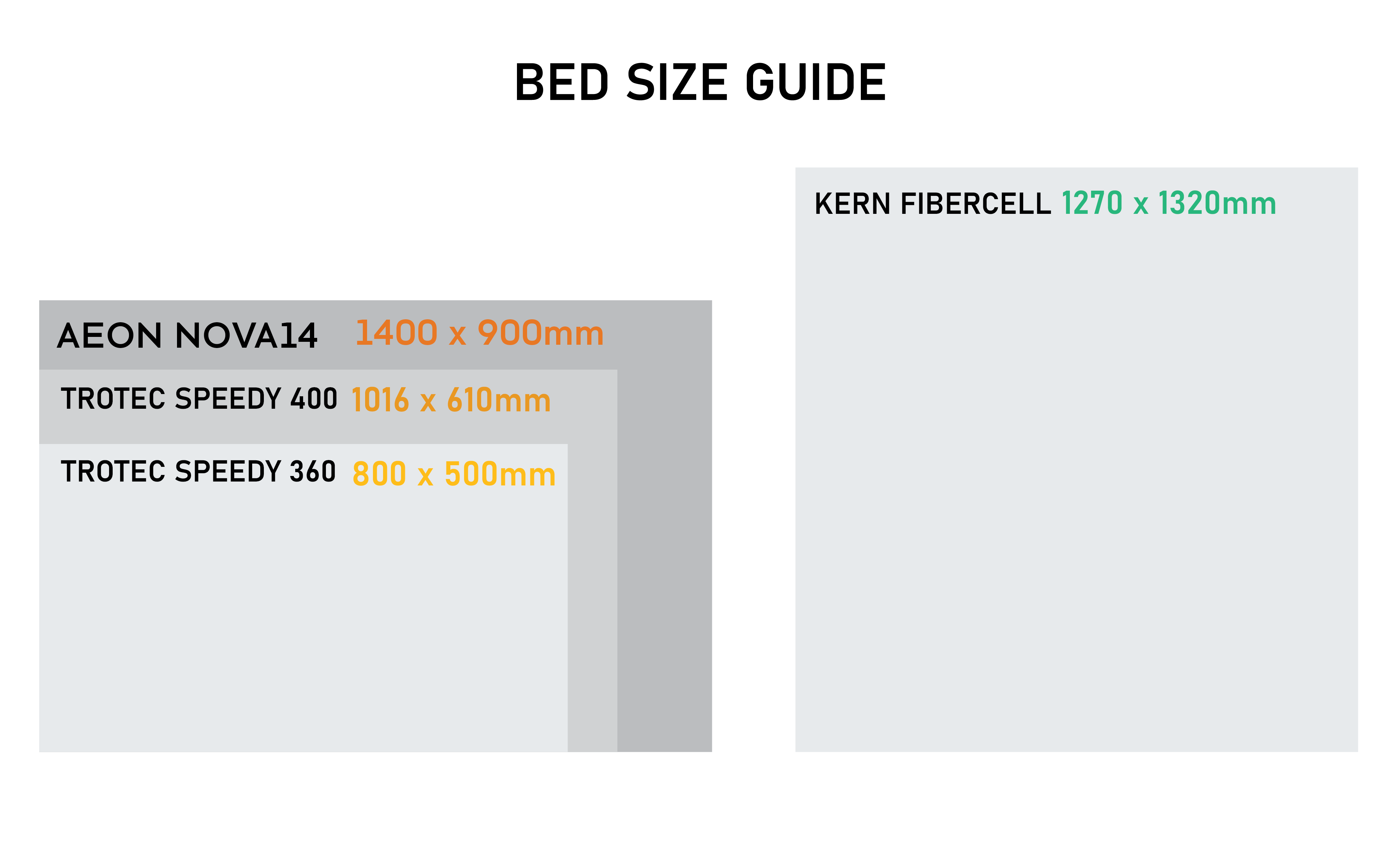


Trotec Speedy 360
Bed size: 800x500mm
If the Rhino Template above play's up downloading, just right click and save.
Trotec Speedy 400
Bed size: 1016x610mm
The Making Centre - Makerspace
Paddington Campus


Trying to make a laser cut box? Need a custom enclosure for your Arduino? Want to create a custom presentation box? There's a web app for that: MakerCase
This web app generates laser cut-able files from the specific dimensions you need - feel free to download the file and adjust it with engraves, holes and any other features you may need!
If you're in need of any gears for your robotic arm or want more torque out of your small hobby DC motors, use this Gear Generator to create laser cut gears!

