
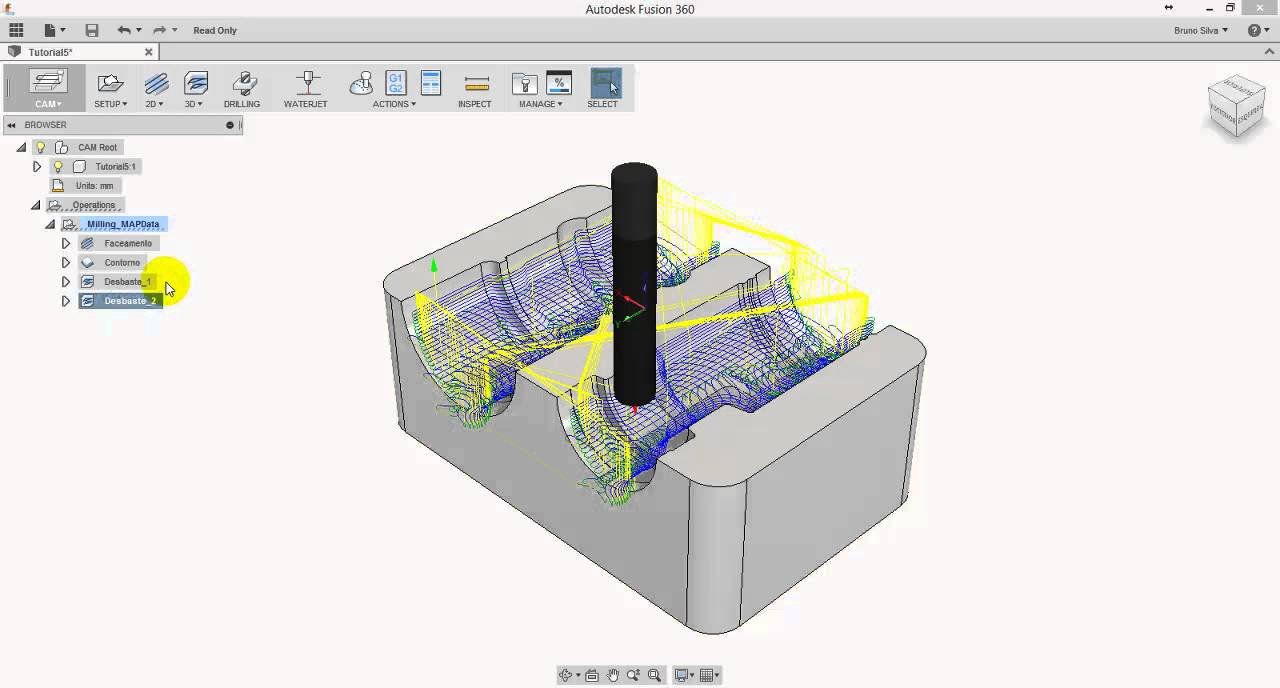
CAM is the mode by which we create G-code to communicate to the CNC. Mastering CAM is a challenging aspect of learning CNC milling, but this module will guide you through the basics for you to start making simple parts, a stepping stone to achieve more complex and accurate designs in the future.
In this module we will teach how to use Fusion 360's CAM package, due to its availability and accessibility. Other CAM software used in industry include MasterCAM, Solidworks CAM, Onshape CAM Studio, etc, but require additional licences to use, and can have a steep learning curve.
In essence, to CNC machine a design we adhere to the following CAM workflow:
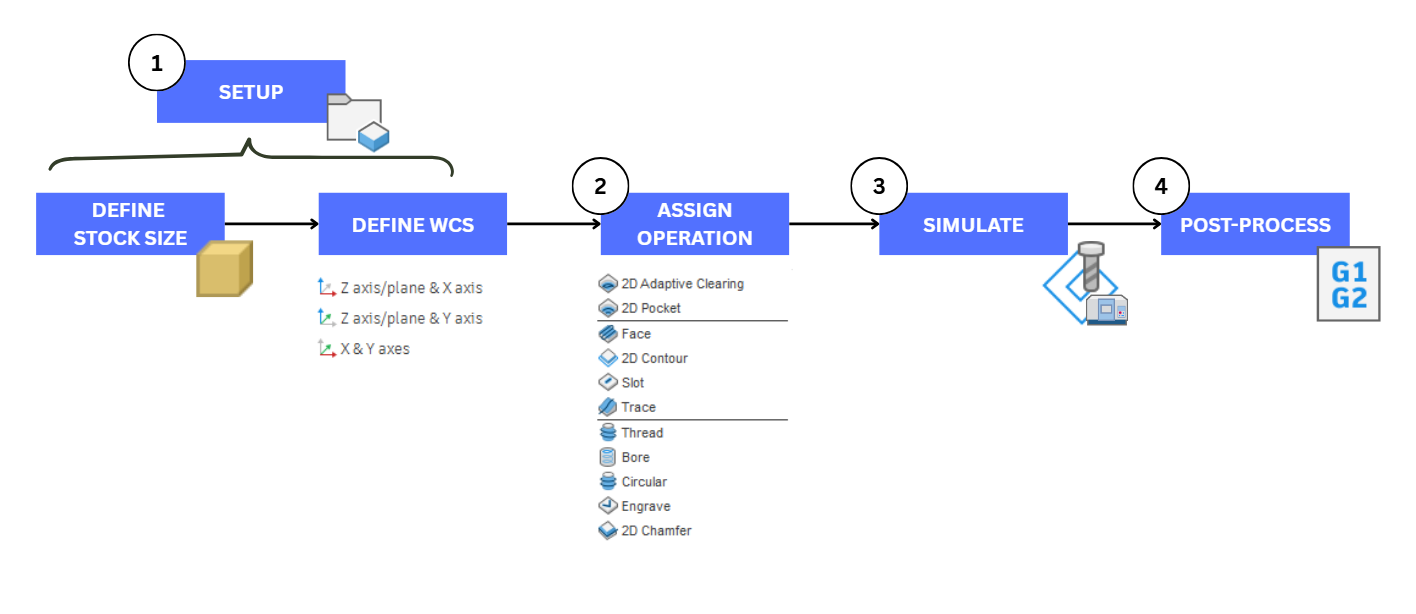
Fusion 360 Workflow Demonstration (Essential)
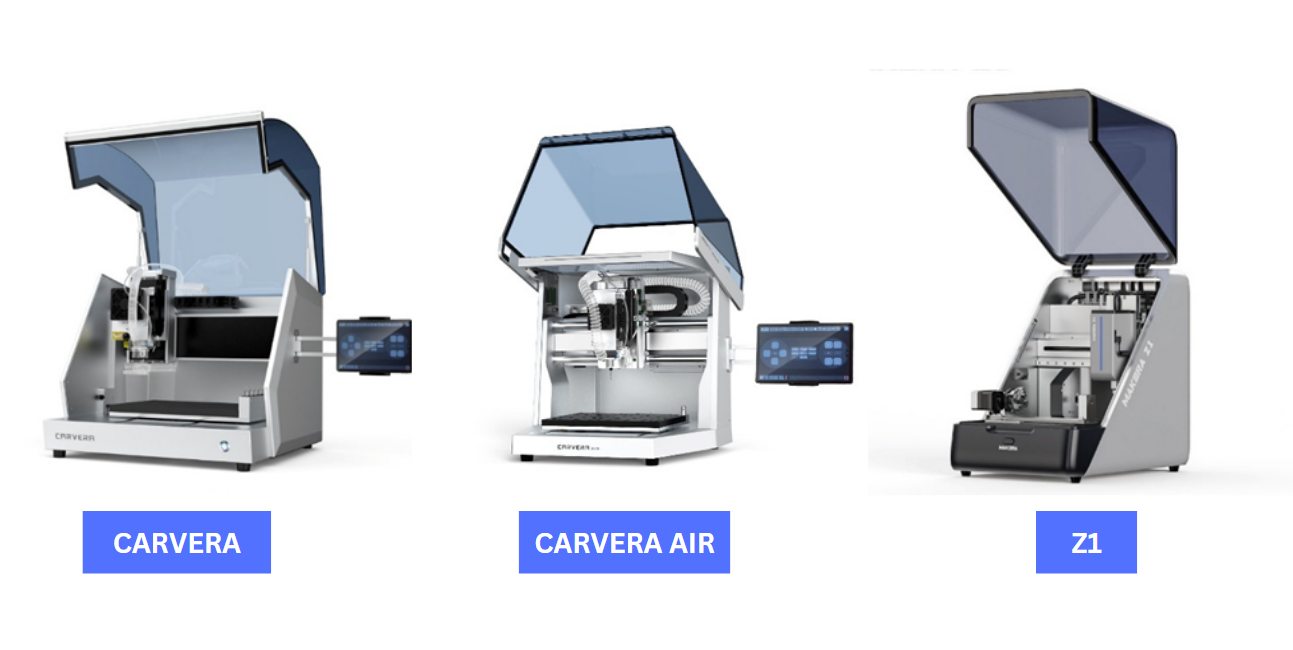
Makera Desktop CNCs:
To begin, make sure you have Fusion 360 downloaded and installed (we recommend you create an Autodesk account with your university email to get the free education licence). Next, download and import the tool libraries for the Carvera Desktop CNC mill. The Fusion 360 website offers instructions on how to import an existing tool library.
Makera's Carvera and Carvera Air models (Z1 coming soon) are available within the UNSW Making network. This badge is tailored to educate users for the purpose of using these machines.
Important
The laser cutter modules have been disabled on all Desktop CNCs within the network.
Have a 3D Model
Start with your CAD model.
To begin you must have a CAD model of your desired design. It can be a native Fusion file (.f3d), but you can also import files from other CAD packages such as SolidWorks or OnShape via STEP format. In general, .Stl files (like those used for 3D printing) need prior processing before we can CAM them easily (this link shows a method of doing so). If you need help creating a compatible file, come speak with the makerspace staff. Please not that not all designs can be CNC machined, as we will learn there are limitations to this manufacturing mode.
2D vector files such as .dxf and .svg can be imported for engraving faces or surfaces. But be warned some complex designs are difficult to achieve.
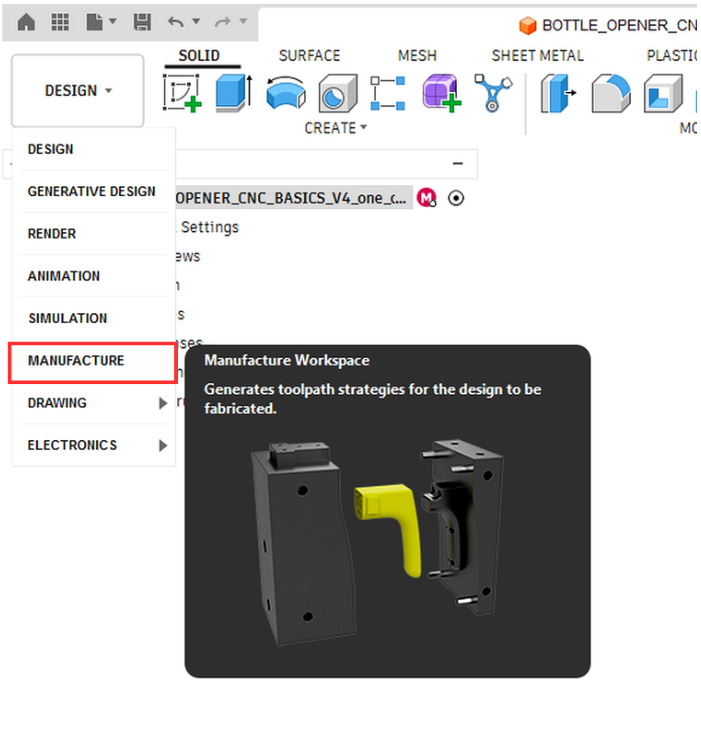
To start setting up your CAM, move from the DESIGN tab to the MANUFACTURE tab at the top left window, as seen to the right. We can move back to the DESIGN tab to make edits to our design or make sketches to reference at any time.
Setup
Create your Stock and WCS.
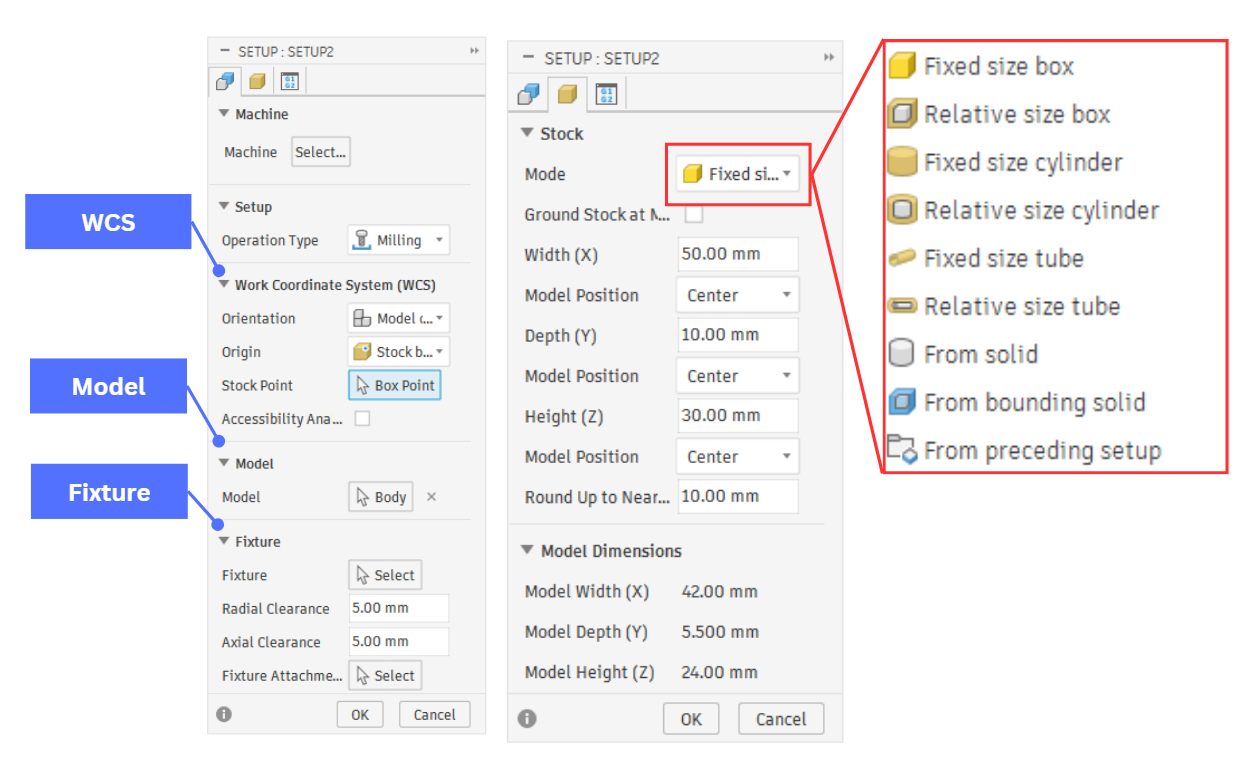
The following module will introduce the key processes of fusion 360 CAM, we will run through a detailed step-by-step CAM how-to within the Desktop CNC badge activity for you to follow. For now, there is no requirement to follow along within fusion, we're just getting used to the key components. The setup menu is the foundation of your CAM. It defines the following:
- The model you are machining (useful to define in assemblies of multiple components),
- Your Work Coordinate System,
- The volume of your stock, and
- Any components you would like to avoid (we can model our fixtures and actively avoid them).

The Setup icon (as seen to the right) is where we define these parameters, once clicked the setup tab will open.
We need to be mindful that the WCS must live where it is accessible by the CNC head. For the majority of simple parts selecting this location as a corner at the top of our stock is perfect. Select your box point.

To define your stock volume, select the stock menu tab (icon is seen to the right). There are alot of options for defining your stock, for now stick with a fixed sized volume and specify your starting stock dimensions.
The setup folder will house all our different operations at the specified WCS orientation. If I want to mill my design from a new direction or reach features that are inaccessible in this WCS, I'll have to specify a new setup with a different WCS.
Milling Operations
Which operations should I choose to make my designs?
We can broadly categorise our operations for removing material into two methods, Roughing and Finishing.
Roughing aims to remove material quickly and efficiently, establishing the 'rough' profile we desire, with minimal 'Stock to leave'.
Finishing involves one or more final passes to remove the small remaining stock, achieving the required dimensional accuracy and surface finish. But there are some limitations to consider.
In our CAM, the majority of operations are versatile, they can be used to both rough and finish parts. Some roughing strategies allow for an additional 'Finishing pass' at a smaller bite size, whilst some do not. Below outlines the basic 2D operations available to you for your Desktop CNC Practical Activity, their features and when to use them. As you gain experience (and in CNC Milling Intermediate and Advanced) the choice between operations, their 3D counterparts and others will become clearer.
Operation Menu
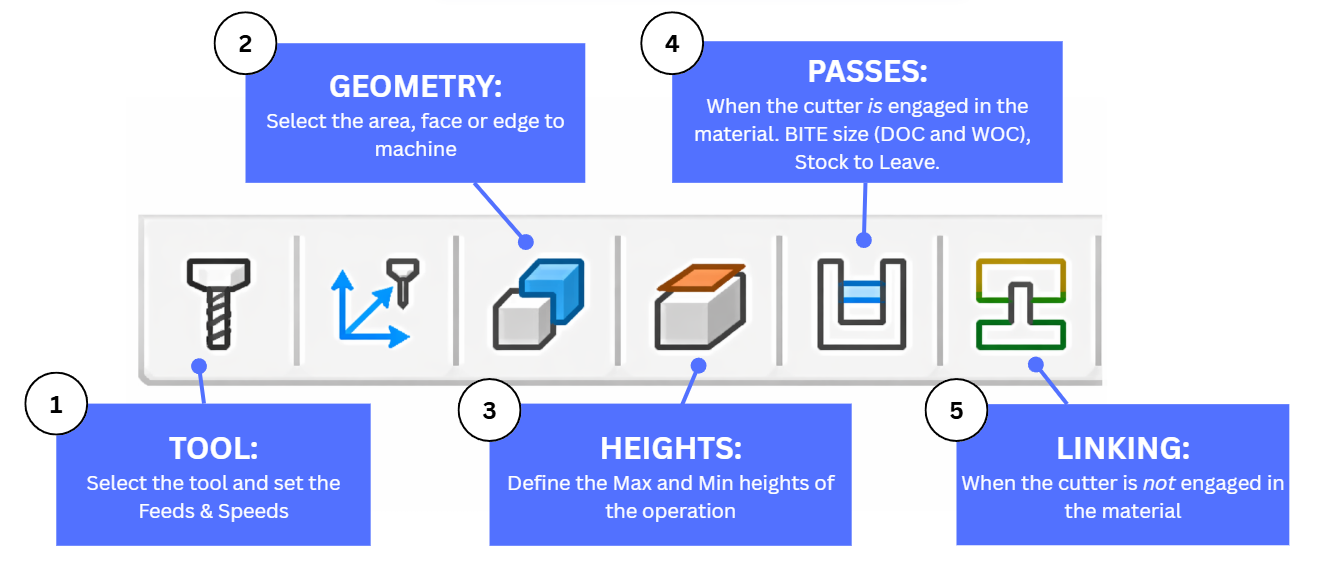
Once an operation is selected the six properties shown below will appear to the right of our window. These six tabs are always the same or have the same functions no matter the chosen operation, making it easy to remember the workflow. For this module we'll concentrate on the five most important:
Facing

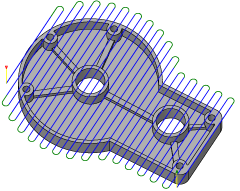
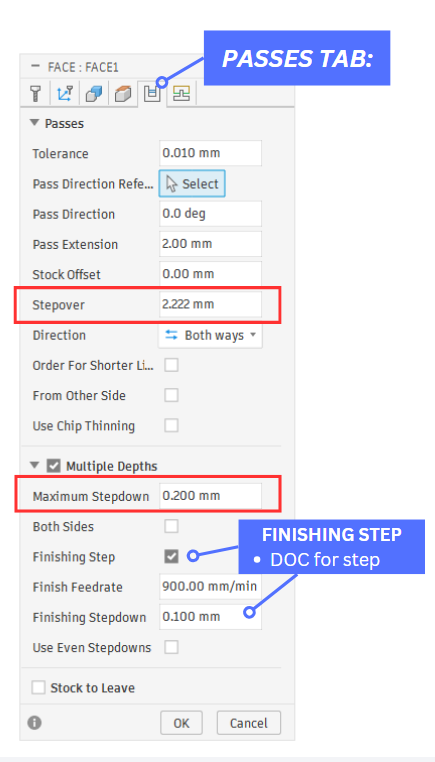
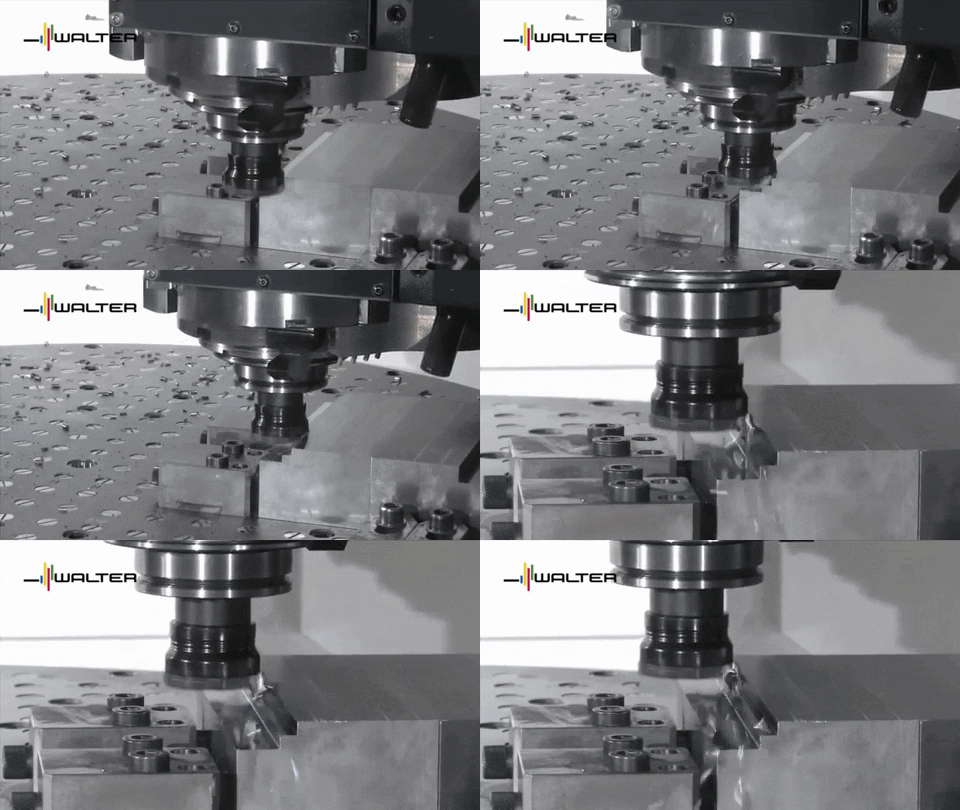
The Face toolpath is often the first operation performed on raw stock material to prepare it for further machining. Typically, the depth of material to be removed is the distance between the top of the stock and the top of the model. This toolpath is used to ensure flatness on a surface so it can sit flat on a vice for accurate machining. It can also be used for clearing flat areas in general. The WOC is around 70% of the width of the tool, so consecutive passes overlap (defined as the Stepover within the passes tab).
Typically in our larger CNCs, a large diameter face or shell mill (as seen to the right) is used to take cuts with a high DOC and WOC. However, for our less powerful desktop CNCs, a much shallower DOC of 0.1 mm using our FEM is required. This is changed within the passes tab by enabling multiple depths and specifying the Maximum Stepdown value, as seen to the right. You can also add a finishing step within the Multiple Depths tab.
2D Adaptive Clearing

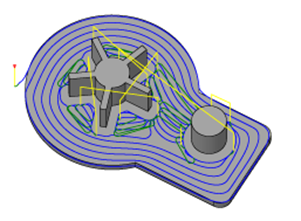
2D Adaptive Clearing is a roughing toolpath that avoids abrupt direction changes. You can clear a cavity, open pocket, or the area around a boss by selecting edges, sketches, or solid faces as the machining area on the same plane. This toolpath maintains a constant engagement between the tool and its surrounding material, a much healthier strategy for managing tool wear.
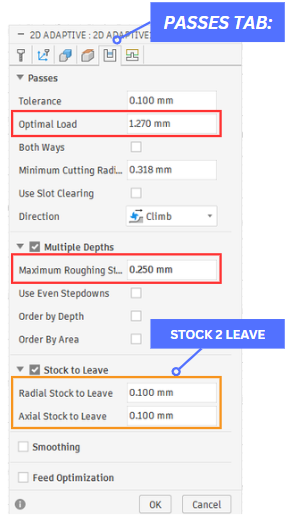
The Optimal Load (WOC) and Maximum Roughing Stepdown (DOC) is specified under the Passes tab, as seen to the right. As discussed, our smaller CNCs are not very powerful, meaning a shallow bite is needed to not overload the spindle. The downloaded tool paths have these parameters preset.
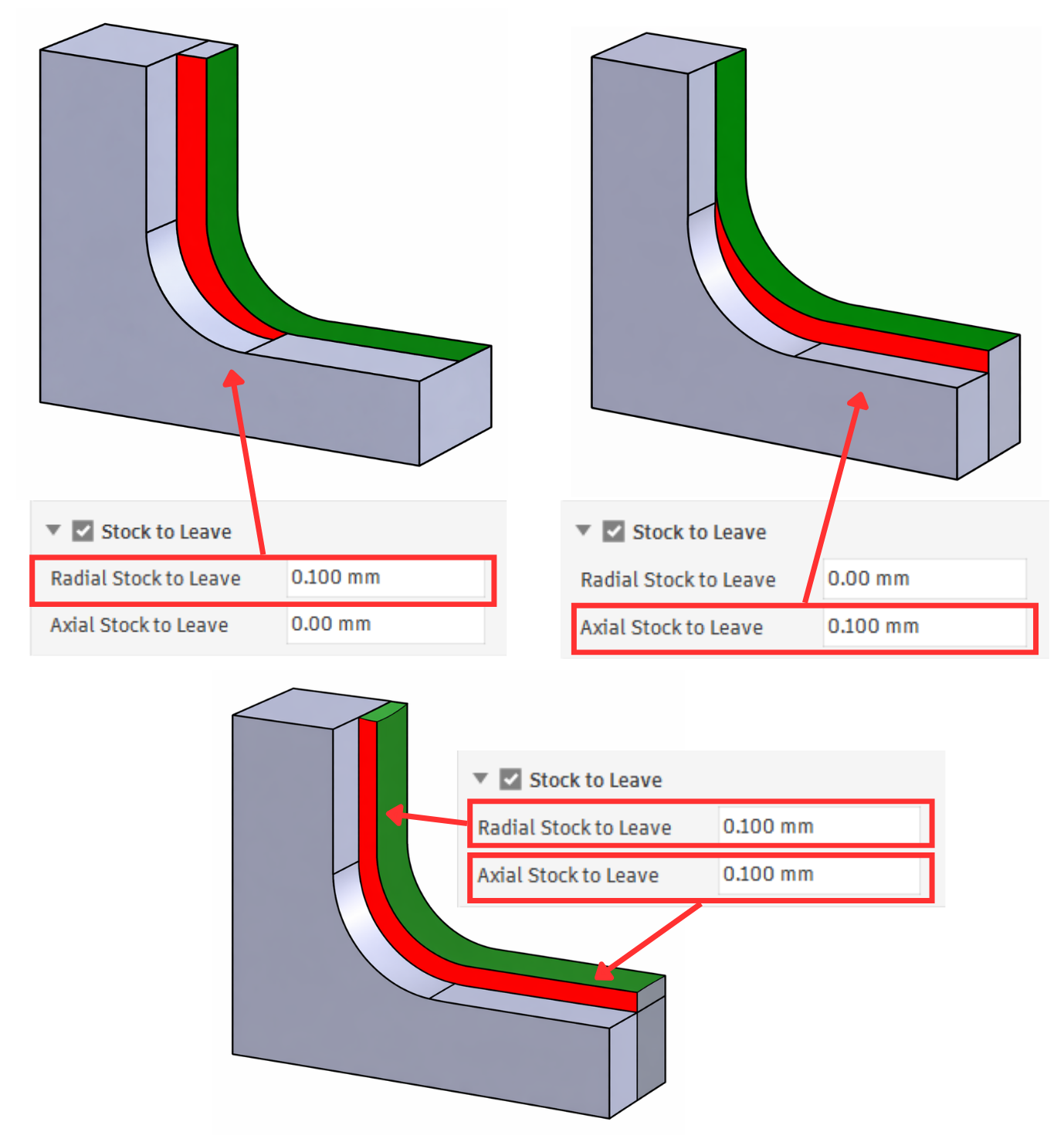
A radial and axial stock to leave of 0.1-0.05 mm for vertical walls and horizontal floors is recommended.
Boring

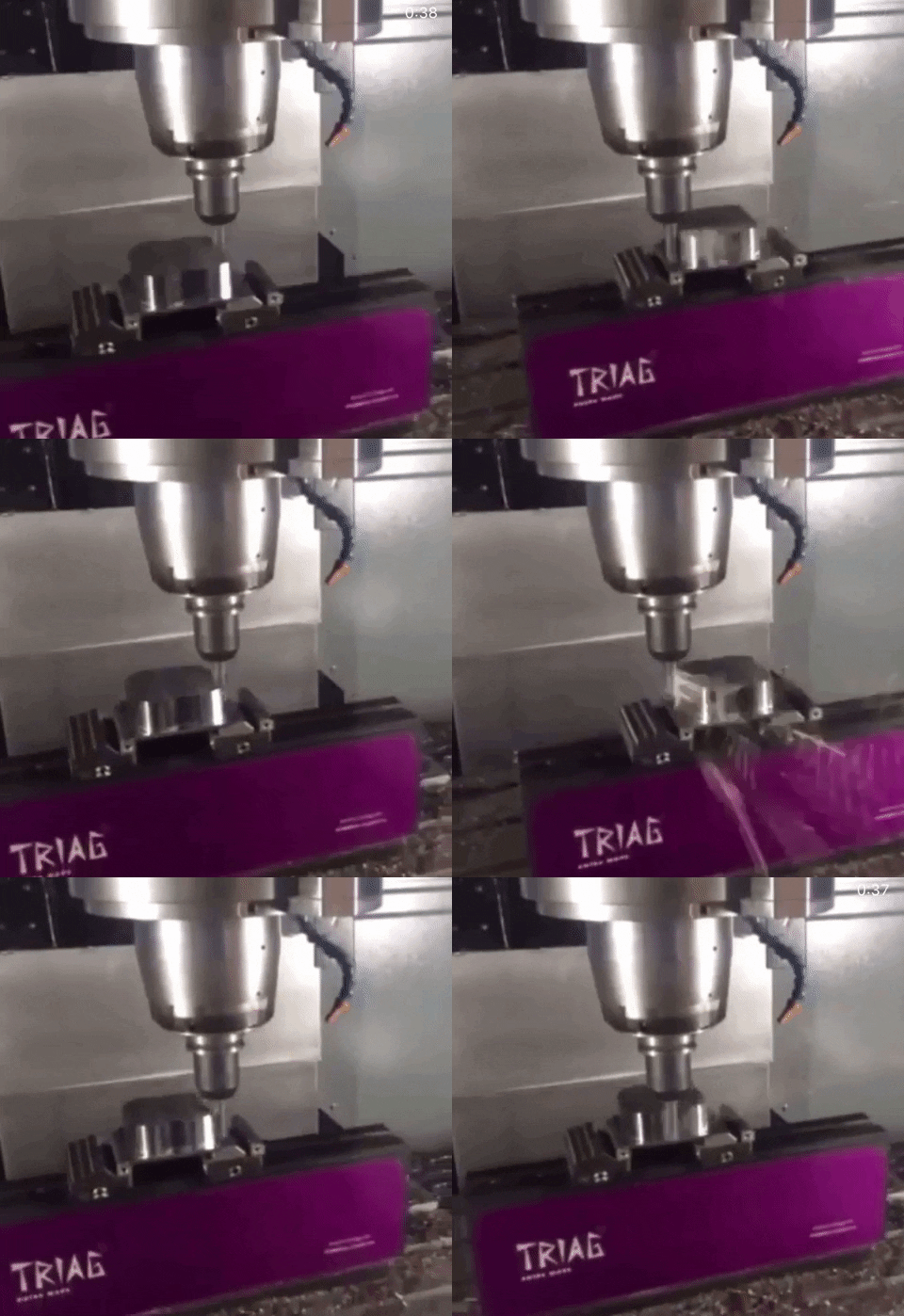
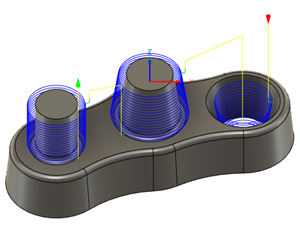
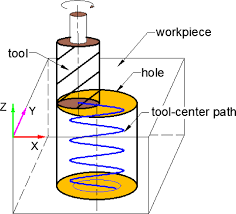
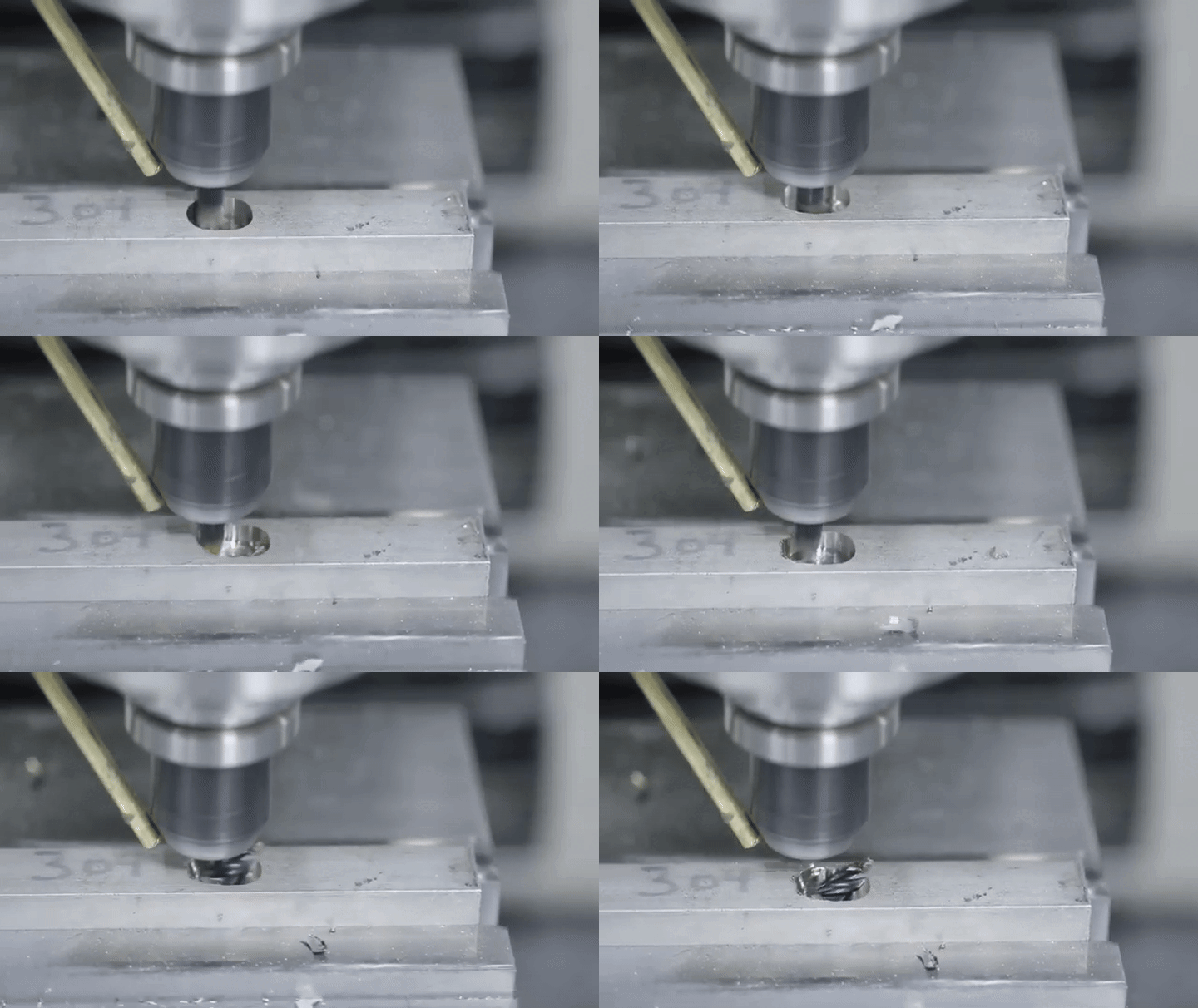
Bore is used for helical milling into holes or bosses that have straight or tapered walls. This technique is essential for machining large or non-standard hole sizes, such as 8.45 mm, where specific drill sizes are unavailable. You can use the bore toolpath to refine and enlarge holes initially made by drilling or other methods, but it is not a requirement for the router style desktop CNCs used in this badge.
Select any internal or external faces to create the toolpath. The heights and depths are automatically derived from the selected face. We can define multiple passes for roughing, or a finishing step. A hole must be larger than the tool diameter to helically bore.
For holes larger than 170% of the tool diameter use Multiple Passes. When dealing with holes significantly larger than the tool diameter, for example, a tool 200% larger than the tool diameter, an adaptive roughing operation can be used. On our desktop CNCs, we recommend not boring holes larger than 70% of the flute length in one pass, otherwise issues with chip evacuation, cooling and spindle power arise.
Through holes
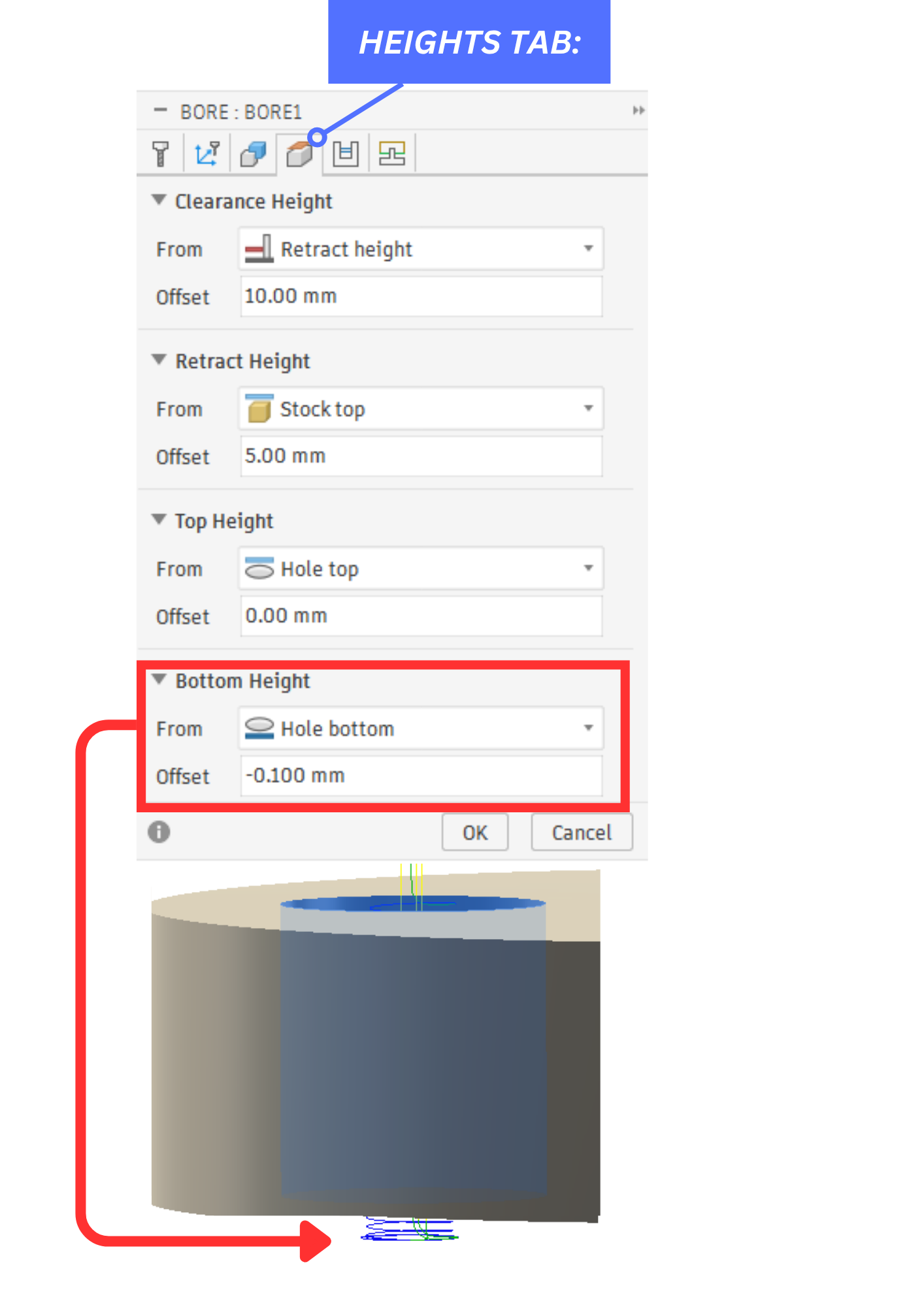
When boring a through hole (a hole passing completely through a part), we must ensure the tool breaks through the part. Set the Bottom Height offset to be slightly under the hole bottom (-0.1 to -0.2 mm) in the Heights tab, as seen above.
Note: video in imperial units.
2D Chamfer

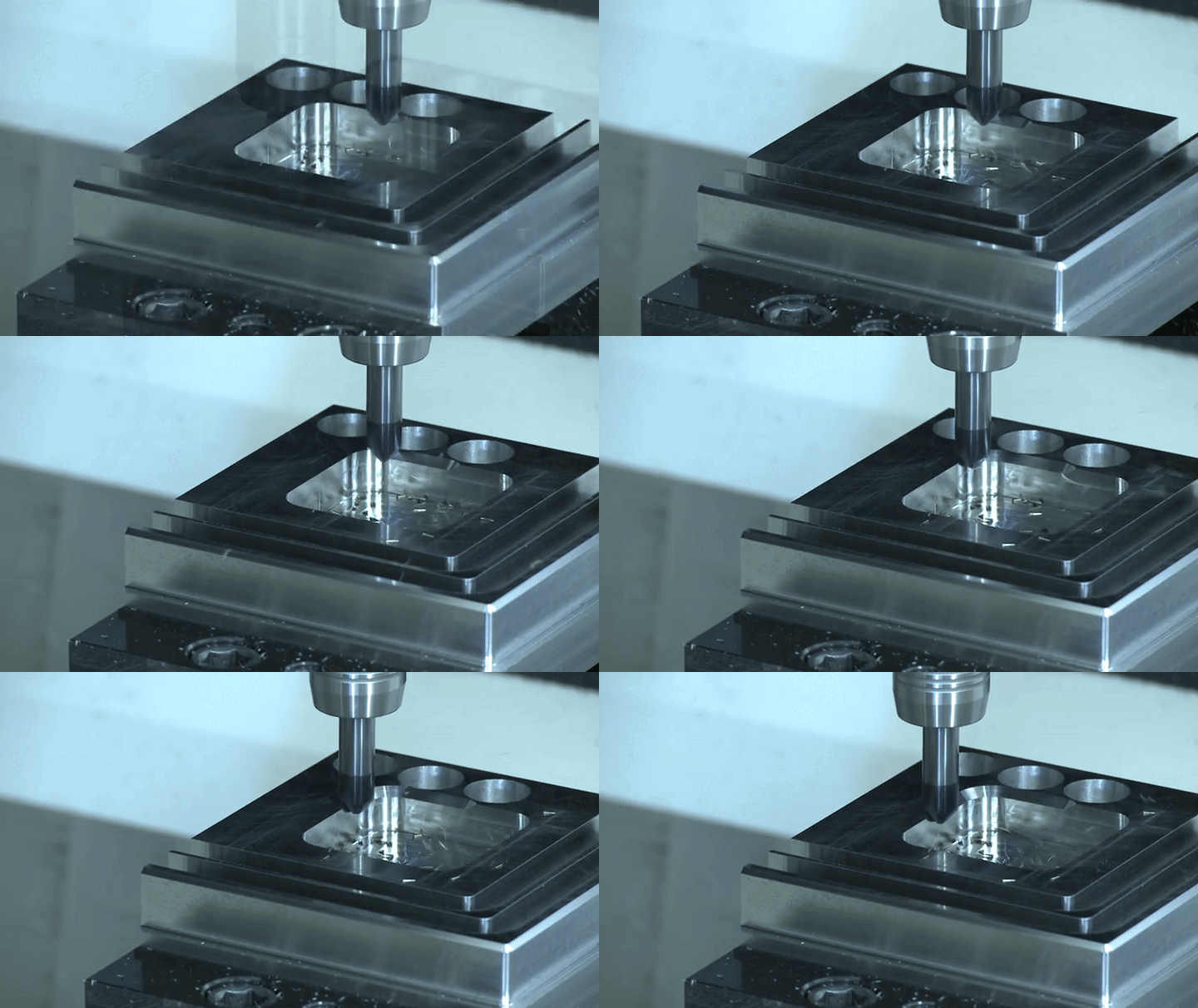
The 2D Chamfer toolpath is used to create a bevelled edge on a part. Select edges or sketches to drive the toolpath. A chamfer mill is required to create a smooth chamfer. Since CNC machining can create sharp edges, we advise you edge break with a small chamfer width of 0.1-0.2 mm should geometry allow it.
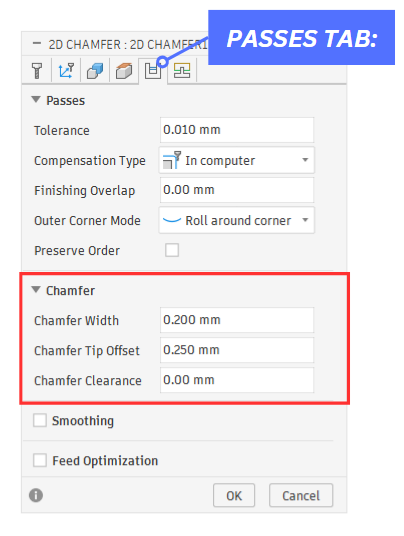
Within the Passes tab we can moderate the chamfer width, the tip offset of the tool and the minimum clearance as seen to the right. These parameters change the geometry of the chamfer and how our tool interacts with the selected edge. We will demonstrate what these change within the Carvera badge activity.
Note: video in imperial units.
2D Pocket

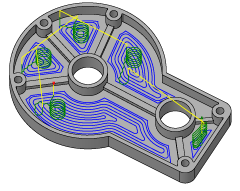
The 2D Pocket toolpath is similar to 2D Adaptive, but there are two distinct differences. Firstly, 2D Pocket is constrained within the selection boundary, and secondly, the path does not optimise for tool loading. While it can be used for roughing, if the bite size is not carefully considered it can produce hazardous toolpaths.
For this basics badge we'll use 2D pocket to finish the horizontal floors of our designs ONLY, while leaving 2D Adaptive for roughing.
The machining area can be selected from edges, sketches, or a solid face. You can select multiple pockets, at different heights, to machine during a single operation.
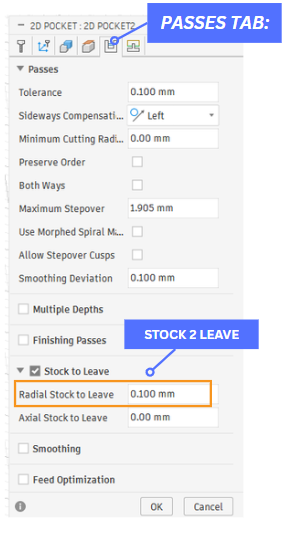
Importantly, as we are finishing the floors you must allow RADIAL stock to leave on the walls of your pocket. We will finish those walls later with another toolpath.
Trace & Engrave

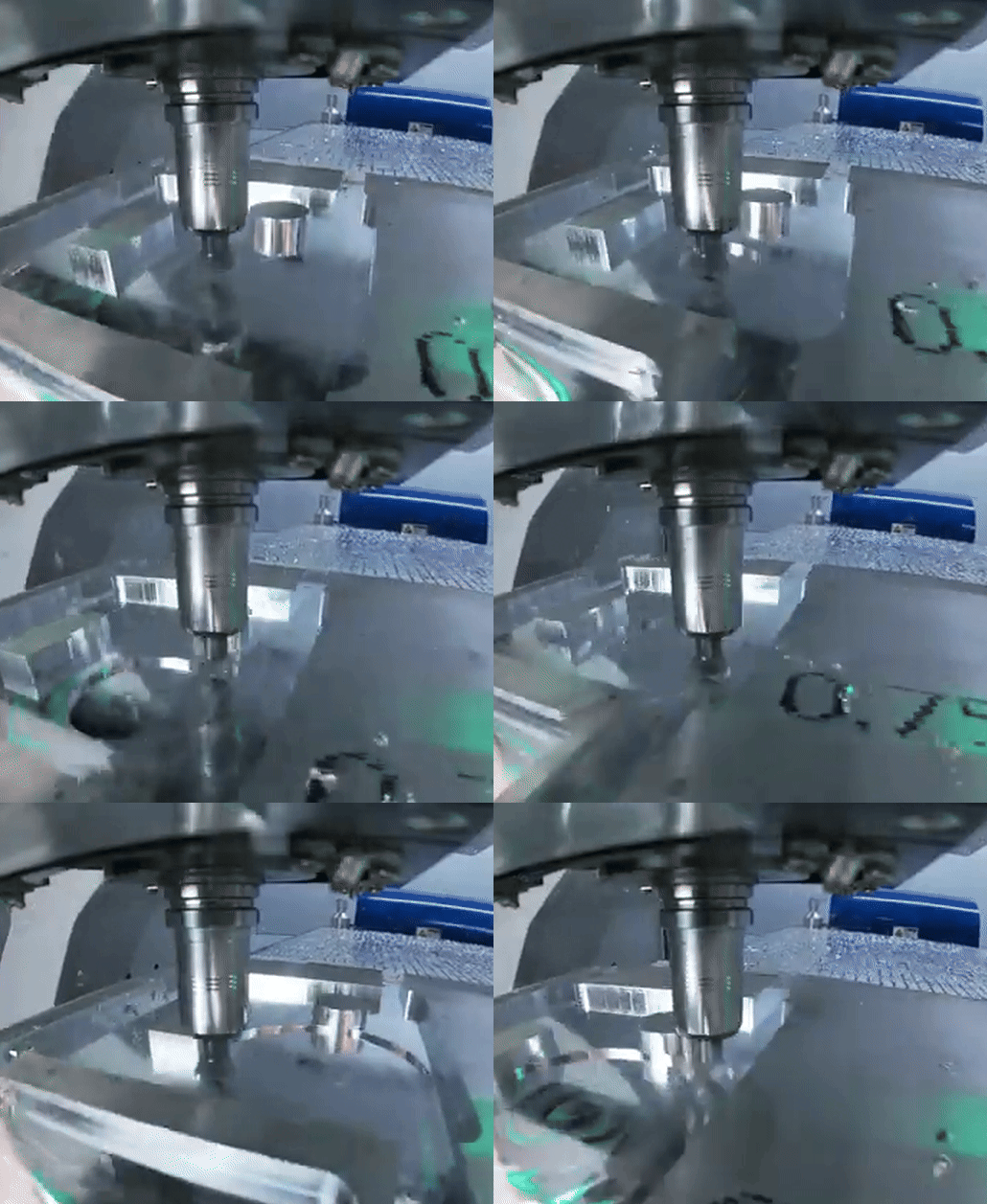
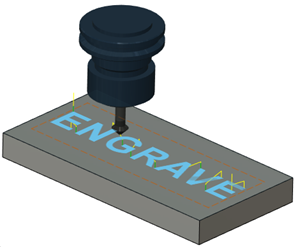
The Engrave toolpath is commonly used to machine text and imported art work. The toolpath requires tools that have pointed tips (chamfer or engraving tools). The tip of the tool is used to create sharp edges on the pocket's corners. For engraving text, the Engrave toolpath physically outlines the selected font of your design, this can often lead to illegible writing if the DOC is not carefully considered.
An alternative option to achieve easily legible text is tracing a vector font (.shx suffix) with the Trace toolpath. This follows the exact internal path leading to clear design, as is advised for beginners. We can moderate the depth of the engrave via the Axial offset, within the toolpath.
- Trace = Vector font — moderate depth
- Engrave = Regular font (engraves outline)
There are other toolpaths (like engrave) that we will cover in intermediate.

Note: video in imperial units.
2D Contour

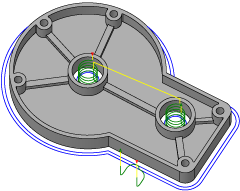
2D Contour creates a toolpath based on a contour selection, which is an outline of a part or feature. 2D Contour is commonly used as a finishing toolpath. You can use multiple depths to avoid cutting with the full depth of the cutter.
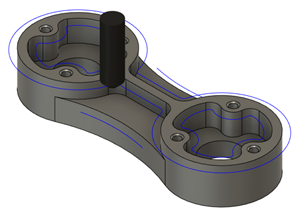
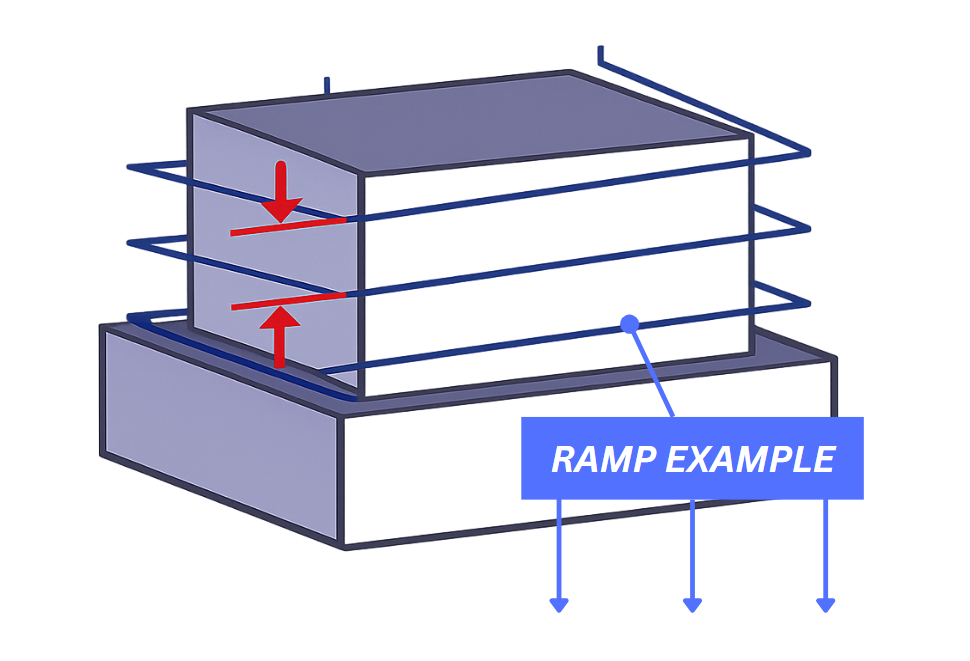
The outline of a design can be profiled using a constant ramp cut, this is very useful for sheet material or thin parts as a last step to obtain your design. An example is seen to the far right. However, if we ramp to the bottom of our material our part will fly away! We solve this by leaving tabs connecting our design to the stock to help hold it in place (this is covered in workholding in the next module).

Stock to leave (Setting)
For all roughing operations, the Stock to Leave (STL) feature preserves a layer of material for more precise and improved finishing in subsequent passes.
The Axial setting specifies the thickness of material left along the Z-axis (vertical walls), while the Radial setting applies to the XY-plane (horizontal surfaces).
For an optimal surface finish on the Desktop CNCs, it is recommended to leave a material thickness of 0.1-0.05 mm in roughing, and finish with a finishing step or separate finishing tool path (2D contour or 2D pocket). For the larger CNCs a STL of 0.2-0.5 mm in roughing is advised.
STL can be toggled under the Passes tab of the roughing operations listed above.
Limitations and Strategies for tool operations
Maximum End Mill Engagement When Roughing
If an end mill is inserted into the material too abruptly, it faces an excessive load that may cause it to break. Conversely, cutting too slowly can lead to grinding, friction, excessive heat, and accelerated wear of the tool. The load on the tool should ideally be constant and adjusted with care.
To prevent tool breakage during roughing, it is essential to use slow, gradual passes that step down and move radially to cut the material. Mastering the proper configuration of end-mill engagement for clearing requires practice and experience. Sticking to the provided tool library parameters is recommended as a conservative starting point.
Maximising Axial/Radial Engagement when Finishing
The quality and precision of a part are significantly influenced by how the tool interacts with the surface during finishing. Finishing toolpaths are typically performed with much lower tool loads to reduce tool deflection and vibration.
To achieve the best vertical finishes, utilise the maximum length of the flute available without engaging the end of the bit to increase tool stiffness.
For optimal finishing of horizontal surfaces, maximise engagement with the outer edges of the tool end, while avoiding the tool centre. Surface speed approaches zero at the centre of the cutter and so cuts poorly.
Simulate & Inspect
Check your CAM is doing what's intended.
To ensure we have no unexpected collisions and your CAM is doing what's expected, it's critical you inspect the timing of your operations and simulate.
Operation Timing
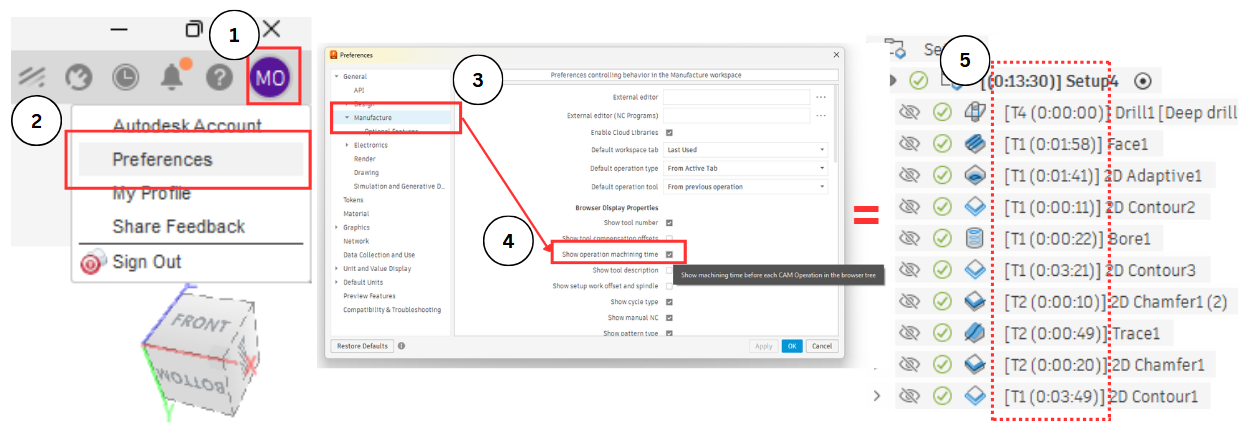
To turn on your operation timing (how long your setup and operations will take), head to your Preferences > Manufacture and toggle 'show operations machining time', as seen in the figure below. This is a great way to determine which operations are taking the longest for better optimisation, and to catch any easy mistakes. This is a default setting for all your future CAM programs.
Simulate

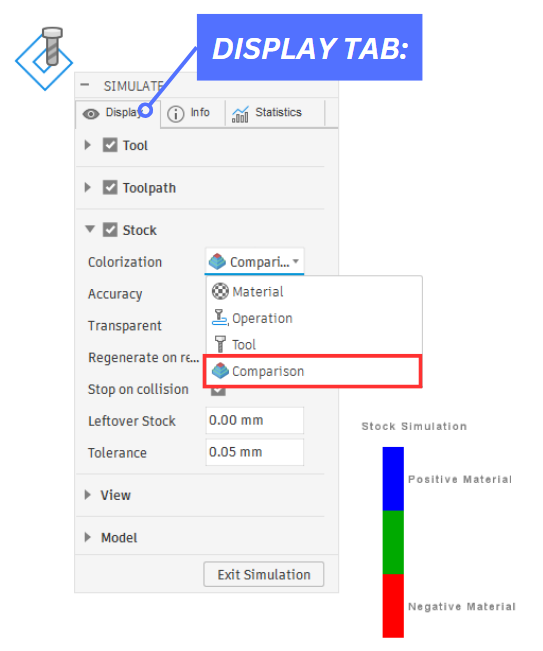
When simulating your operation, we can inspect if the cutting tool will behave as intended, and if our desired design has been machined to our theoretical desired dimension. To better discern this, toggle your stock colourisation to Comparison Mode, this will show:
- Blue = positive material (unmachined material),
- Green = to-tolerance material (final dimensions) and
- Red = negative material (over-machined material).
A finished design should be all green.
Simulation also throws errors if the tool experiences plunges or other issues, these are indications that you should change your approach, or a mistake has been made in your operations.
You must also consider your fixturing too. Ask yourself: will my operation avoid my chosen fixturing strategy? Will my operations machine into the bed or collide with the vice jaws? All important considerations when simulating.
Once it is fully simulated without concern, then you're ready to post-process your designs.
Post-Process
Convert your CAM to the language the CNC speaks.

After completing our setup, operations and simulating our toolpaths we are ready for the final step, post-processing. This converts your CAM into G-code, which is saved as an .nc file extension. To post-process, select the icon seen to the right. A menu will appear with two tabs and three key actions:
Settings Tab
- Post — if G-code is the language of the CNC, the post is the 'dialect'. Different vendors (Carvera, Tormach, Haas, FANUC) have different conventions for interpreting your G-code. Selecting the correct post file is critical as different machines can't read a post from different vendors.
- File name — the name of your file (some CNCs only take numerical names).
- Output folder — where the post will be saved to. We recommend you keep a folder for all your Carvera posts on your personal device.
For Makera's Carvera model of CNC the following post-processor is needed, you can save this to your local post library (click on the link below).
Makera Carvera Post-Processor: Makera Carvera / Carvera
To add a new post to your local library, follow these instructions.
In CNC Intermediate we will look over reading some of the critical commands of the G-code and what they instruct, so stay tuned.
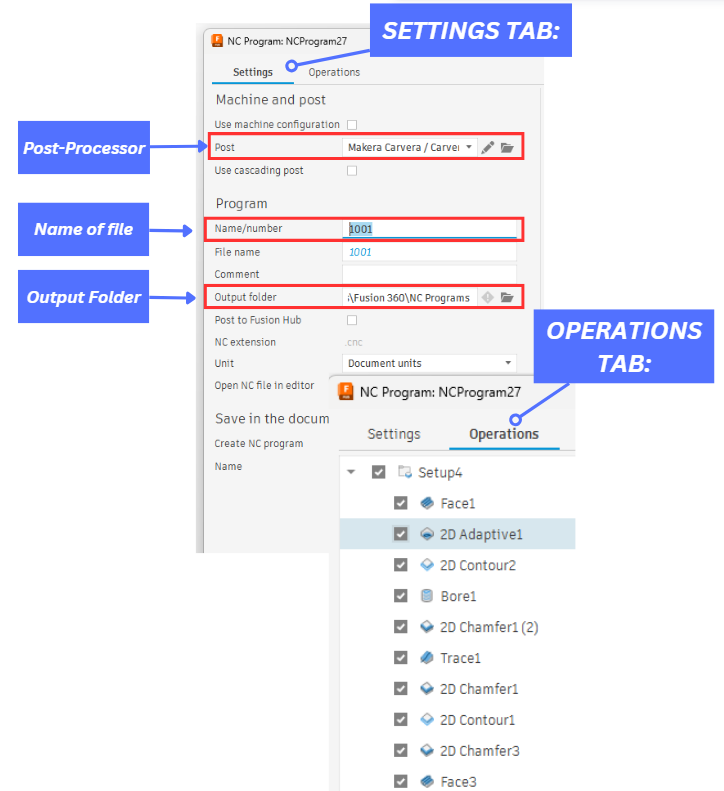
The Operations tab tells the post-processor which operations to include in the post. We can select and deselect to post individual sections or all operations together.
Back to topAdditional Toolpaths
Non-essential toolpaths but very useful to know.
Drilling

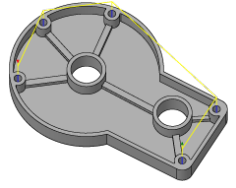
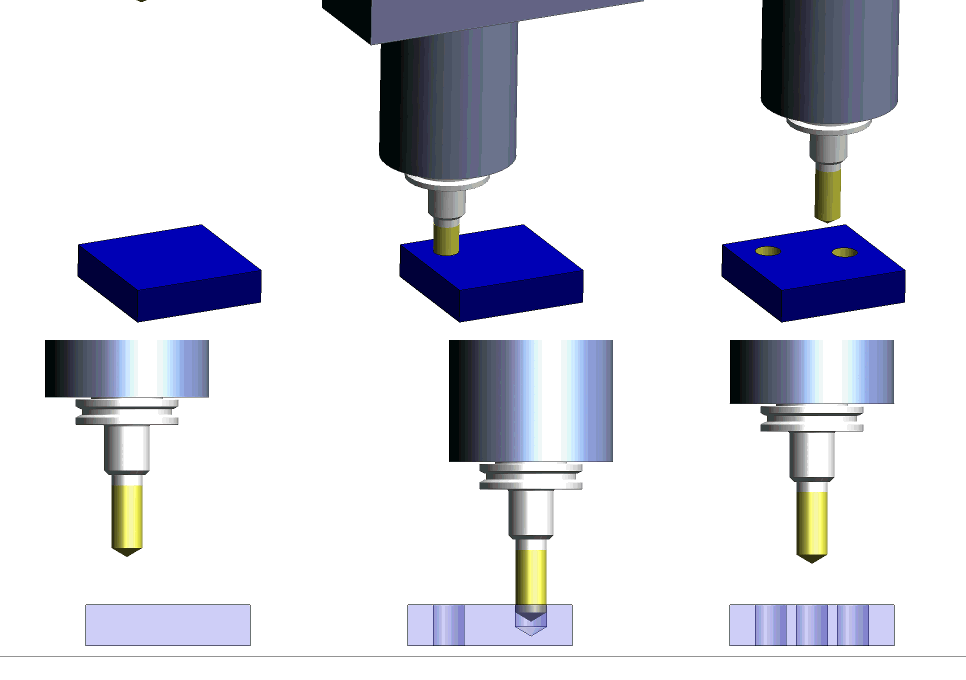
The Drill toolpath is a common machining process for creating holes in the work piece. It is most suitable for smaller, standard-sized holes where high precision and smooth surface finishes are not critical, making it ideal for rough hole creation. When drilling holes, it is advisable to perform spot drilling first. This enhances the precision of the hole and reduces wear on your tools. A chamfer mill can be utilised for spot drilling.
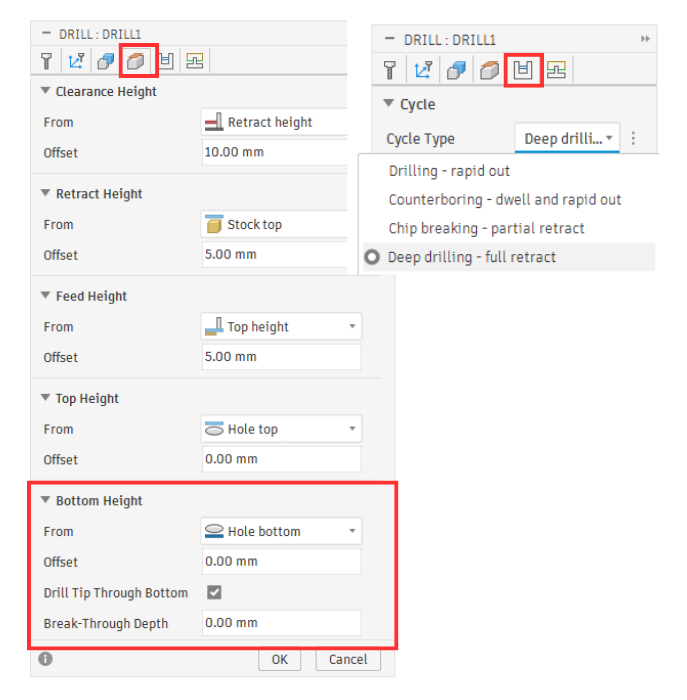
The drill locations can be selected by picking cylindrical hole faces from the model, hole edges, sketch geometry and points. We can change the drill depth to exit through holes via the bottom height in the heights tab.
Drilling into metals
When drilling it's important to select the type of drilling operation under the cycle tab (Passes). For drilling into metals it's important to evacuate and break chips, this improves the hole accuracy and manages temperature. Deep drilling — partial/full retract or Chipbreaking — partial retract options are ideal for this.
Note: video in imperial units.
Back to top